

- Start by simply updating
theme.root.primaryColorandtheme.sidebar.logowhen callingspaces.update(). - If needed, you can customize the theme further with additional css variables.
Building a theme
Learn how to create a Space with a theme, and update a theme from an Event listener.Theme reference
theme.root
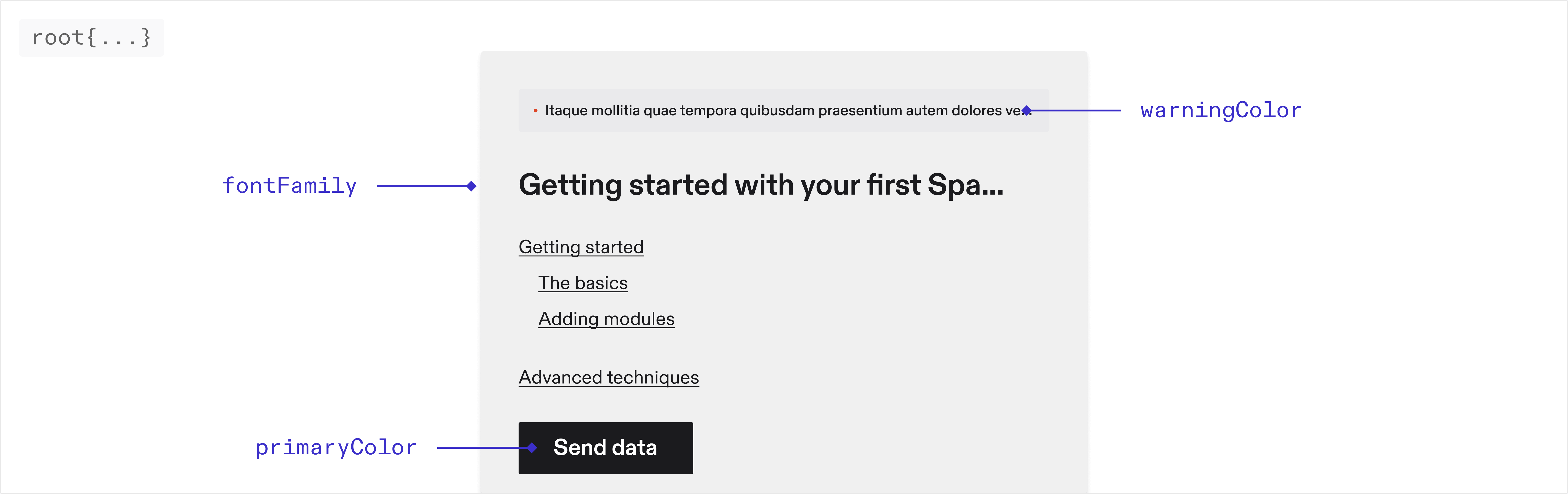
Font
string
The font family used throughout the application. Only system fonts are
supported at the moment
Colors
string
The primary color used throughout the application.
string
The color used for error messages.
string
The color used for warning messages.
string
The color used for borders throughout the application.
theme.sidebar
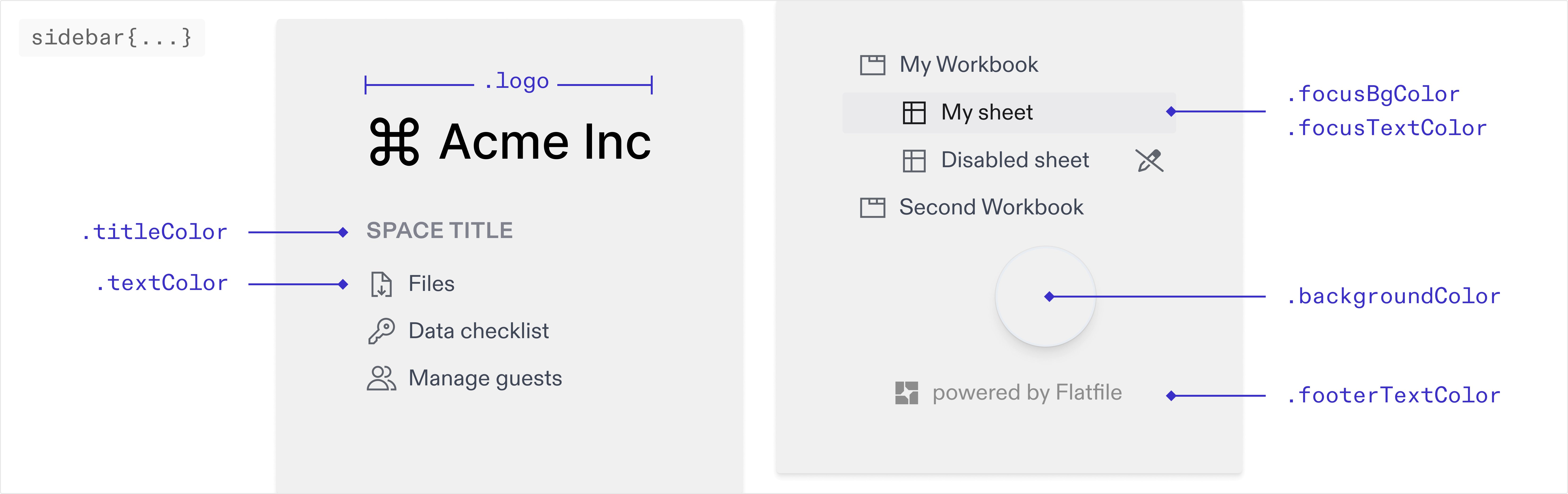
You can override the default colors of the sidebar below. If these are not set
they will inherit from your root colors.
string
The img path for the logo displayed in the sidebar.
string
The color of the text in the sidebar.
string
The color of the title in the sidebar.
string
The background color of the active navigation link. The hover state will use
the same color with 30% opacity applied.
string
The text color of the active/focused navigation link.
string
The background color of the sidebar.
theme.table
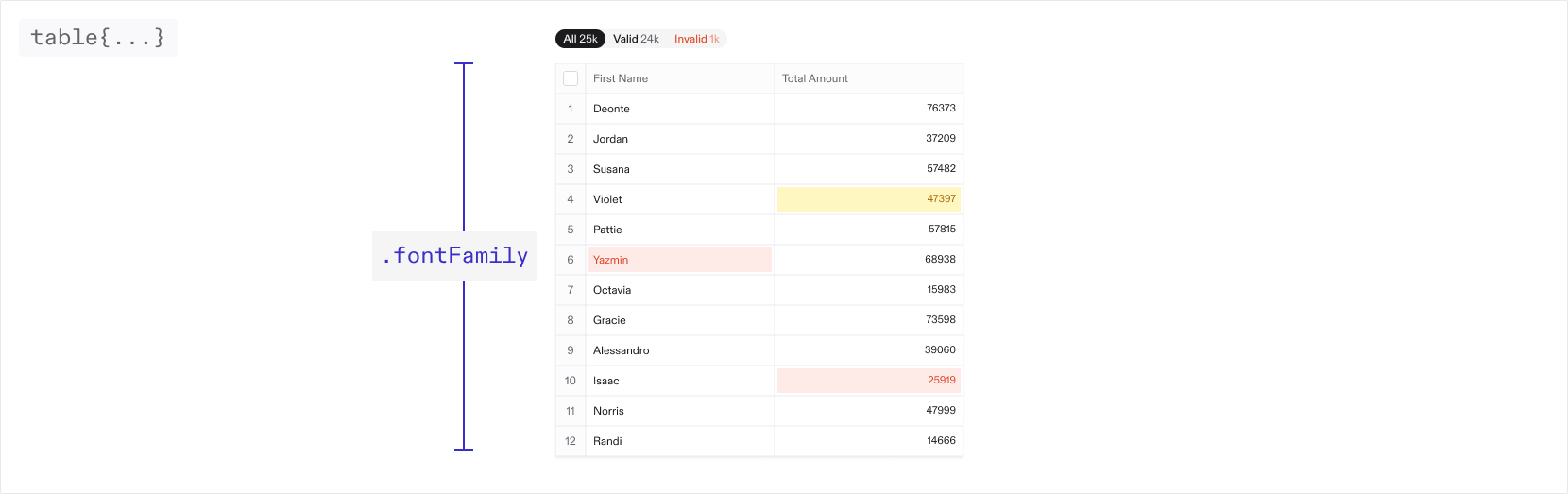
You can override the default colors and values for different elements in the
table below. If these are not set they will inherit from your root values.
Font
string
The font family used throughout the table. Only system fonts are supported at
the moment
Active cell
theme.table.cell
string
The width of the border around the active cell.
string
The box shadow around the active cell.
string
The font family for number cells.
Column header
theme.table.column
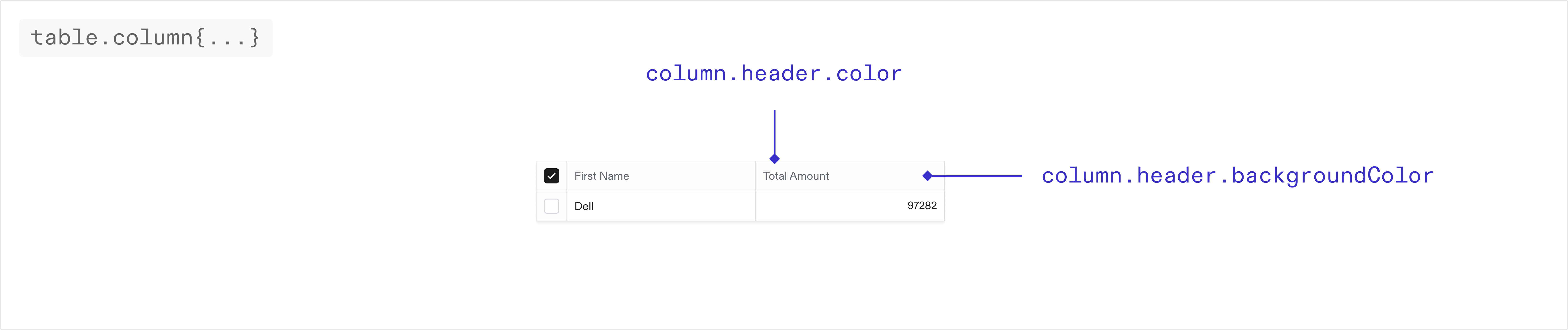
string
The background color of the column headers in the table.
string
The text color of the column headers in the table.
Index column
theme.table.indexColumn
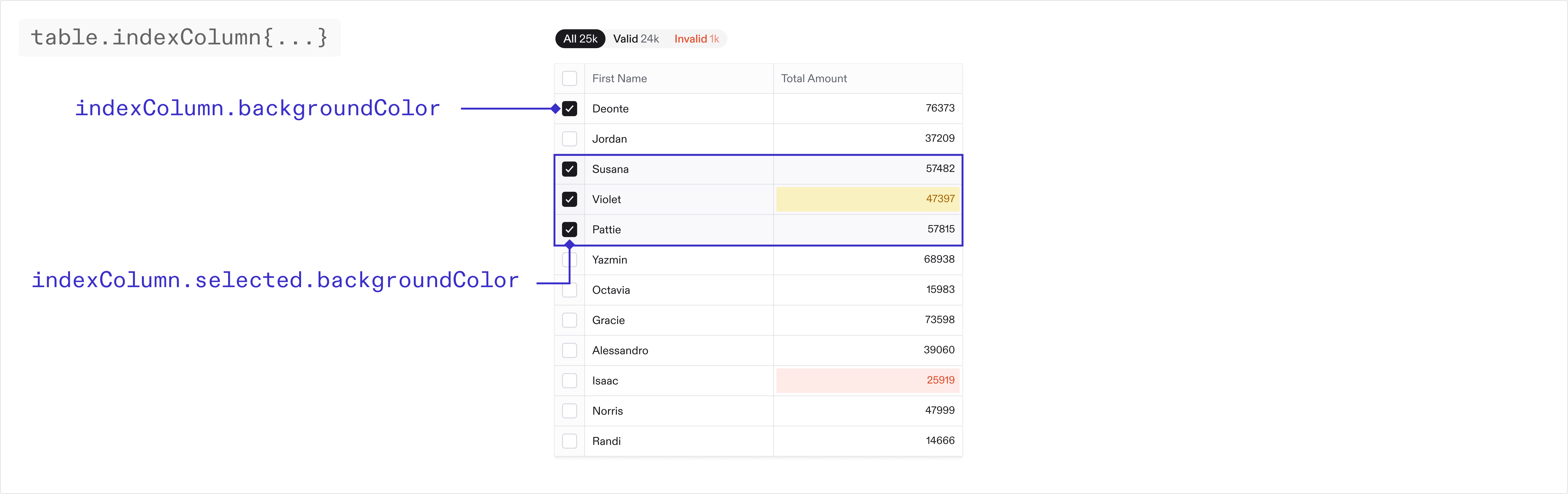
string
The background color of the first column in the table.
string
The text color of the first column in the table.
string
The background color of the first column in the table when selected.
Checkboxes
theme.table.inputs
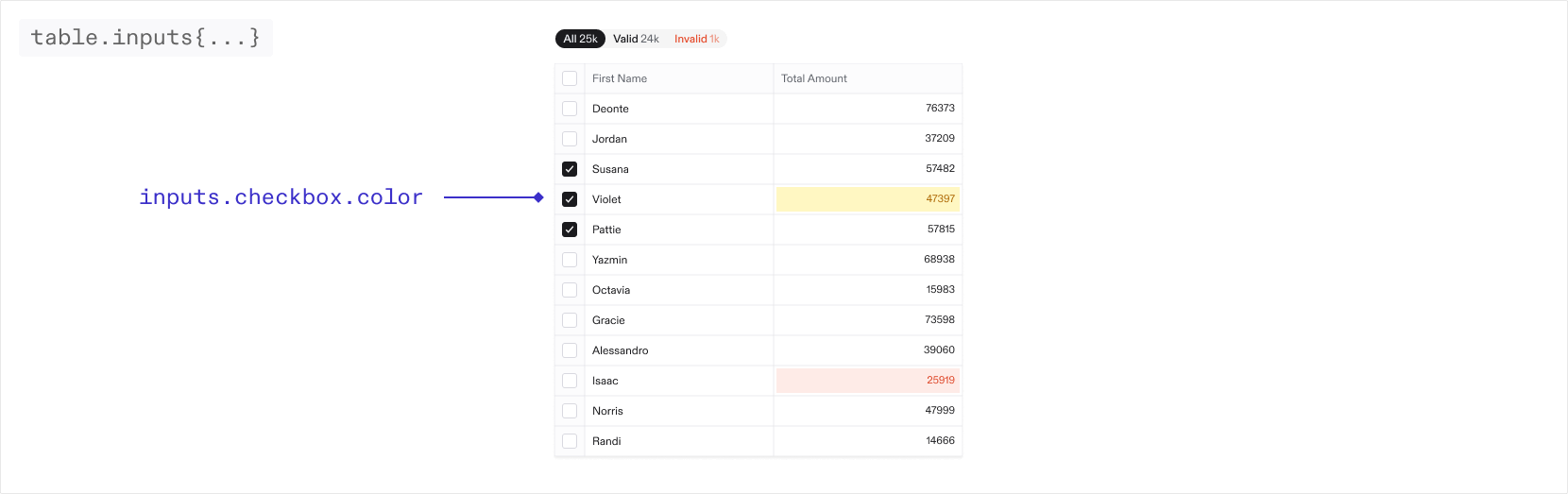
string
The color of the checkboxes in the table.
string
The color of the border for the checkboxes in the table.
Filters
theme.table.filters
string
The border radius of the table filters
string
The border radius for the individual filters
string
The border of the table filters. By default there is no border.
When nested objects share the same border radius, small gaps may appear. To
resolve this, adjust the inner and outer border radius on the filters to
seamlessly fill any gaps.
Buttons
theme.table.buttons
string
The color of the icon buttons in the toolbar and table
string
The color of the pill buttons in the toolbar
theme.email
You can theme the guest invite emails as well as guest email verification emails via the properties below. These are sent to a guest when they are invited to a Space via the guest management page in your Space.
Email theming is only available on the pro and enterprise plans.
string
The URL of the image displayed at the top of the email
string
The color of the text in the email
string
The color of the title in the email
string
The background color of the button
string
The text color of the button
The text color of the footer text
string
The background color of the email
theme.email.dark
If your default email theme (as set above) is light, we suggest adding a dark mode email theme. Different email providers handle dark and light mode differently. While Apple Mail and some other clients will respect dark mode variables, some email providers do not support dark mode and will display your default theme. We suggest you test your themes across various email clients before going to production to ensure consistent appearance.
string
The URL of the image displayed at the top of the email in dark mode
string
The color of the text in the email in dark mode
string
The color of the title in the email in dark mode
string
The background color of the button in dark mode
string
The text color of the button in dark mode
The text color of the footer text in dark mode
string
The background color of the email in dark mode
Deprecation Notice
Flatfile’s new design system released in Q1 2025 supports a more streamlined experience when configuring theme. The new system
accepts a more limited set of properties, but ensures those supplied properties are cohesively applied across the application.As a result, many of the original
theme.root properties which applied to specific UI elements have been deprecated. We have taken
steps to ensure some level of backwards compatibility for these properties in the new system - however we recommend any usage of these properties
be updated to the new system as soon as possible.theme.root [deprecated]
Colors
string
deprecated
The color used for successful Actions.
string
deprecated
The color used for Action buttons and text. This will default to a slightly
lighter shade of your primary color.
Buttons
string
deprecated
The border radius for all standard buttons.
Badges
string
deprecated
The border color for all badges.
string
deprecated
The border radius for all badges.
Checkboxes
string
deprecated
The border color for all checkboxes.
string
deprecated
The border radius for all checkboxes.
Interactive elements
string
deprecated
The border color for all dropdowns, text inputs, and context menus.
string
deprecated
The border radius for all dropdowns, text inputs, and context menus.
Tabstrip
string
deprecated
The color for active tabs in a tabstrip.
string
deprecated
The color for inactive tabs in a tabstrip.
string
deprecated
The text color for tabs in a tabstrip on hover.
string
deprecated
The border color for tabs in a tabstrip on hover.
Modals
string
deprecated
The border radius for modals.
Pills
string
deprecated
The border radius for all pills.
Popovers
string
deprecated
The background color for popovers.
string
deprecated
The border radius for popovers.
Tooltips
string
deprecated
The background color for tooltips.
theme.sidebar [deprecated]
Colors
The text color of the footer in the sidebar.
string
deprecated
The color of horizontal lines between sections in the navigation.
theme.document [deprecated]
string
deprecated
The color of horizontal rules in Documents.
Example Project
Find the theming example in the Flatfile GitHub repository.typescript
Clone the theming example in Typescript
javascript
Clone the theming example in Javascript